Home Level 1 2 3 4 5 6 7 8 9 10 11 12 13 14 15 16 17

Level 14: Show Me


1. Lessons

Click each one of the links.

Read the lessons and try the examples.


Outstanding In Your Field Page 93

The Complete Guide to PowerPoint

Edit the Slide Master page 95
Apply a Theme page 96
Format the Background page 97
Insert WordArt page 101
Create a Text Master page 105
Add Placeholders page 109
Insert SmartArt page 113
Insert a Chart page 122
 

On The Road Again Page 139

The Complete Guide to PowerPoint

Insert A Table page 144
Add An Action Button page 157
Add Sound page 161
Add Movies page 164
Rehearse Timings page 166
Speaker Tools page 168
Slide Show Setup page 180
Publish a CD page 184
Save As Options page 185


Complete Guide to Windows Vista

Collaboration, Scanning legacy files, Presenting and sharing data, Remote Control, Remote Assistance and Sync.


Take Control: Picture This! page 443

Tech Talk: Put It In Writing page 447

Admin: Remote Control page 457

The SandBox: Beyond Simple Tasks


2. Downloads

2007 Spring Forward Complete

2007 Fall Back Complete

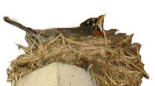
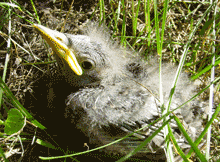
Graphics: Robin1, Robin3, Robin4, Robin5, Robin6, Roses5, Roses6

Sound: Wind


3. Assessment

Practice Activities

Complete the Online Quiz for Level 14.


Skills Test Download the instructions. Submit the Skills Test to your instructor

Try it: Download these files.

1. Right-Click on the link.
2. Click SAVE TARGET AS,

do not click Open
3. Go to the Documents folder
4. Click on SAVE


Find and Open the files.

Go to Start ->Documents

Double click on the file you want to open.